

The sign-in screen is the quietest part of any gaming session, and that is exactly how it should be. When it works properly, you barely notice it — a couple of taps, a quick verification prompt, and your balance, bonus progress and game history are sitting where you left them. When it misbehaves, though, it becomes the only thing you can think about. That is why we have put as much engineering attention into the entry point of our platform as we have into the pokies lobby behind it.
This page walks through how the login process works on our website, what happens behind the scenes when your credentials are checked, and what to do when something refuses to cooperate at eleven o’clock on a Friday night. We have written it with Australian players in mind — the devices you actually use, the connection quirks that come with regional NBN and mobile data, and the account controls that matter under local regulation.
If you are still weighing up whether to register at all, the front page of Spinit Casino covers the wider picture of what our platform offers before you commit to creating credentials.
What Happens the Moment You Press Sign In
Most players assume a login is a simple comparison: you type a password, the server checks whether it matches, and the door opens. Modern systems do considerably more than that, and understanding the extra layers explains why the occasional extra prompt appears.
Your password is never stored in a readable form on our servers. It is passed through a one-way hashing function with a unique salt, meaning the stored value cannot be reversed back into your original text. When you sign in, the same process runs on what you have typed and the two hashes are compared. Even our own staff cannot read your password, which is also why nobody from our support team will ever ask you for it.
Alongside that check, our platform builds a lightweight fingerprint of the request: the device type, the browser version, the approximate connection origin and the time of day. If that profile looks consistent with your recent history, you go straight through. If you have suddenly appeared on a different handset in a different state at an unusual hour, an additional verification step is triggered. It is mildly annoying for a legitimate player and genuinely obstructive for anyone attempting credential stuffing with a leaked password list.
Sessions also carry an expiry. Leave a tab open on a shared laptop and the token will lapse rather than sitting there indefinitely, which is a small detail that has saved plenty of accounts from opportunistic misuse.
Signing In Step by Step
For a returning player the whole sequence should take under a minute. Before you begin, make sure you have the email address used at registration and access to the phone or authenticator app linked to the account, since verification codes may be sent there.
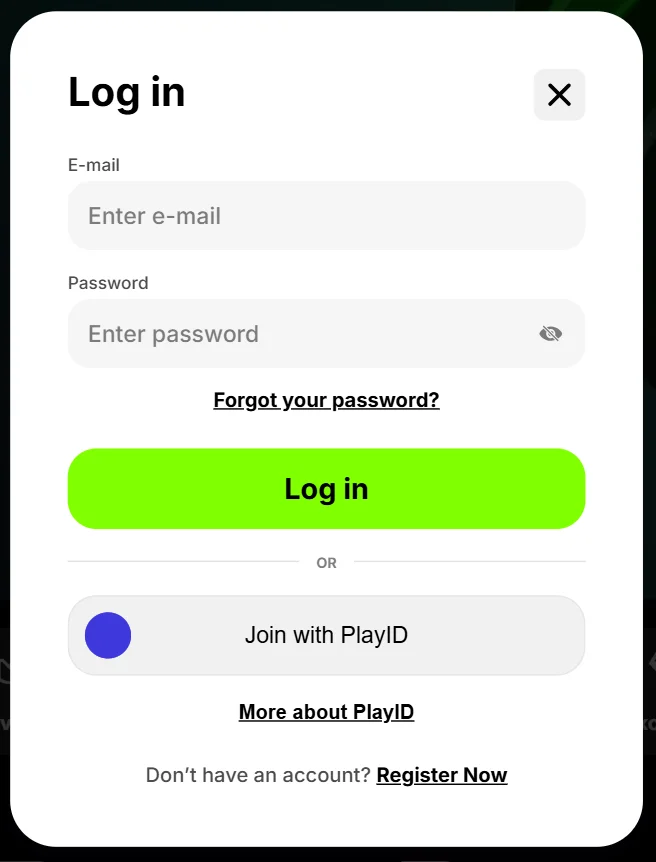
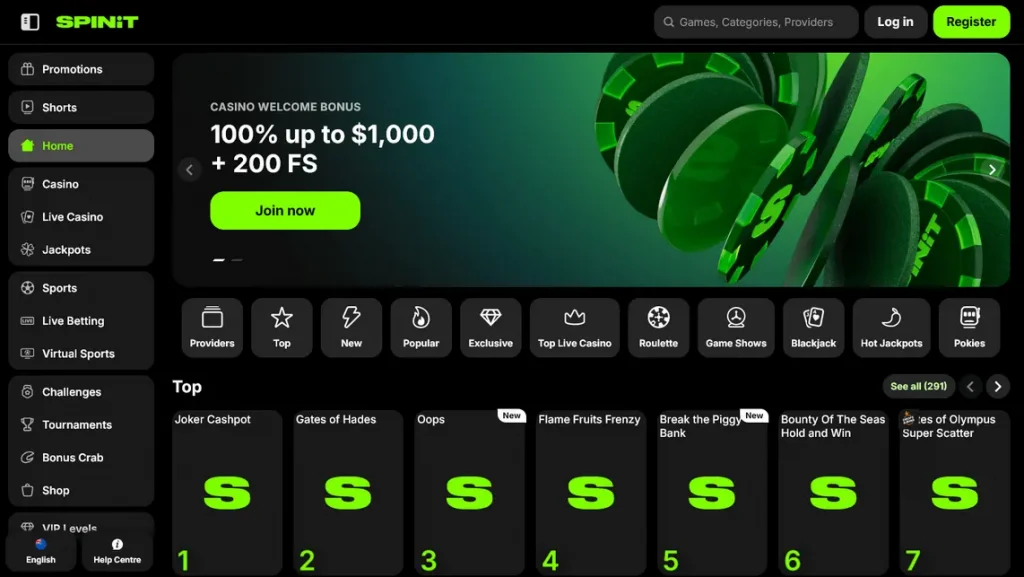
- Open our website in your preferred browser and select the account access button in the top navigation bar.
- Enter the email address tied to your profile — not a nickname, not your display name, and not an alternative inbox you have used since.
- Type your password, keeping an eye on the visibility toggle if you are on a mobile keyboard prone to autocorrect.
- Complete any secondary verification prompt, such as a six-digit code or an emailed confirmation link.
- Choose whether to keep the session active on that device. On a personal phone this is convenient; on a shared or public machine, decline it.
- Once the lobby loads, glance at your balance and last login timestamp to confirm nothing looks unfamiliar.
That final step takes three seconds and is the single most useful habit a player can build. Unfamiliar activity is far easier to resolve when it is reported within hours rather than discovered a fortnight later.
Access Patterns Among Australian Players
Running a platform for an Australian audience produces some fairly consistent behavioural patterns, and they shape how we prioritise development work. Australians are heavily mobile-first, sessions cluster in the evening across the eastern seaboard, and connection stability varies considerably outside the capital cities.
The table below summarises the broad access trends we observe across our user base. Figures are indicative rather than audited, but the directional picture has held steady for some time.
| Access method | Approximate share of sign-ins | Average time to complete login | Most common failure point |
|---|---|---|---|
| Mobile browser (iOS) | 38% | 22 seconds | Autofill inserting an outdated password |
| Mobile browser (Android) | 31% | 25 seconds | Verification SMS delayed on mobile data |
| Desktop browser | 24% | 18 seconds | Cached session token conflicting with a new login |
| Tablet | 7% | 27 seconds | Outdated browser version rejecting security certificates |
Two conclusions follow from that spread. First, roughly seven in ten sign-ins happen on a handset, so any friction on small screens is felt disproportionately. Second, the majority of failures are not password failures at all — they are environment failures caused by stale autofill entries, patchy signal or neglected browser updates. Fixing those is usually within the player’s control.
Regional Connection Considerations
Players in regional Queensland, the Northern Territory and inland Western Australia report a higher rate of timeout errors, which correlates neatly with satellite and fixed-wireless connections. If that describes your setup, an authenticator app is a more reliable second factor than SMS, because it generates codes offline rather than waiting on a message to arrive.
Where Logins Go Wrong and How to Fix Them
Almost every access problem we see falls into a handful of categories. Working through them methodically is faster than repeatedly hammering the same password into the same field and hoping for a different outcome.
| Symptom | Likely cause | Recommended fix |
|---|---|---|
| Credentials rejected despite being correct | Saved password in the browser is out of date | Clear the saved entry, type the password manually, then re-save it |
| Page reloads without any error message | Cookies blocked or a privacy extension interfering | Whitelist the site or open it in a standard browsing window |
| Verification code never arrives | Carrier filtering or a dormant email address | Request a resend, check spam, or switch to an authenticator app |
| Account temporarily locked | Multiple failed attempts triggering a protective freeze | Wait out the cooldown period, then use the password reset flow |
| Session drops repeatedly mid-play | Unstable connection or aggressive battery-saving mode | Disable power saving for the browser and switch network if possible |
If none of the above resolves the issue, our support team can look at the account from the back end. When you contact us, include the approximate time of the failed attempt, the device and browser you were using, and any error text shown on screen. That trio of details typically shortens the diagnostic process considerably.
Strengths and Trade-Offs of a Unified Account Gateway
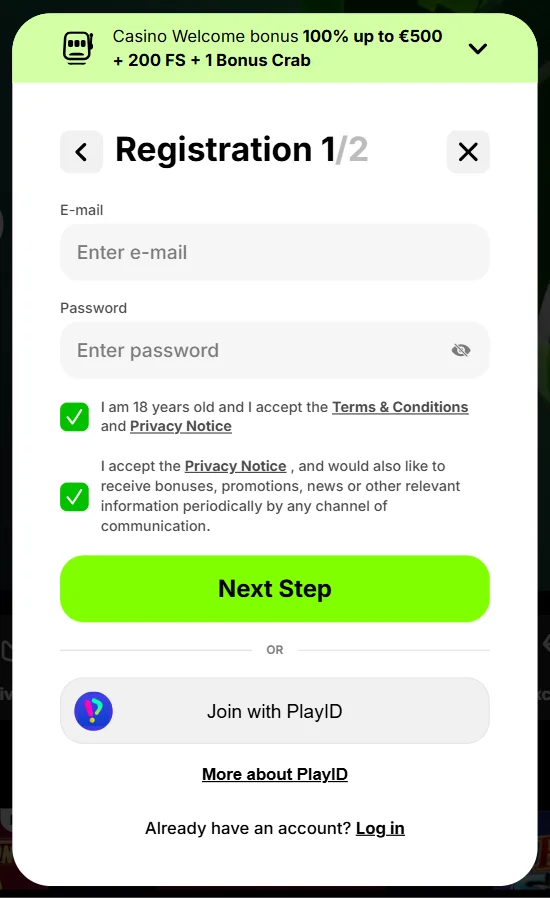
A single credential set that unlocks pokies, live dealer tables, cashier functions and bonus tracking is convenient, but convenience always carries a cost. Being honest about both sides helps players make sensible decisions about how they protect their profile.
What works in your favour:
- One set of credentials covers the entire platform, including deposits, withdrawals and promotional progress.
- Session persistence means bonus timers, tournament positions and game history follow you between devices.
- Verification records stay attached to the profile, so identity checks generally only need completing once.
- Account limits and time-out settings apply universally rather than per section.
What deserves caution:
- A compromised password exposes every part of the account at once, including cashier access.
- Recycling a password from another site imports that site’s breach risk directly into your gaming profile.
- Staying permanently signed in on a shared household device removes a meaningful barrier to unauthorised play.
- Losing access to the linked email or phone number complicates recovery until identity is re-established.
None of these trade-offs are unique to our platform — they apply to any account-based gaming service. The practical response is straightforward: a unique password, a second factor, and a moment of thought before ticking any box that keeps you logged in indefinitely.
Building Sensible Credential Habits
Password advice has changed over the past decade. Length now matters more than exotic punctuation, and a memorable four-word phrase outperforms a short string of substituted characters in almost every threat model. Something like a phrase built from unrelated words is both easier to recall and considerably harder to brute force than a shorter jumble.
A password manager removes the memory burden altogether and generates genuinely random strings. If you would rather not use one, the minimum standard worth holding yourself to is a password used nowhere else, ideally sixteen characters or longer, changed if you ever see a breach notification for a service where you used something similar.
Two-factor authentication remains the highest-value fifteen minutes you can spend on account security. Even a perfectly leaked password becomes close to useless without the rotating code, and enabling it takes a single visit to your profile settings.
Account Controls, Verification and Playing Responsibly in Australia
Your login is also the gateway to the tools that keep play under control. Deposit caps, session reminders, loss limits and cooling-off periods all live inside the account area, and we would encourage every player to set them deliberately rather than leaving defaults in place.
Identity verification is a normal part of account life. Under anti-money-laundering obligations, documentation is typically requested before larger withdrawals are processed. Completing it early — a clear photo of your ID and a recent utility bill or bank statement — avoids a delay at precisely the moment you would least appreciate one.
Australian players should also understand the local regulatory position. The Interactive Gambling Act 2001 prohibits the provision of online casino services to Australian residents, and the Australian Communications and Media Authority enforces that framework. Licensed online wagering on sport and racing operates under a separate and permitted regime, supervised by state and territory bodies such as Liquor & Gaming NSW and the Victorian regulator. Anyone considering play should be clear about which category a given service falls into and what protections do or do not apply.
If gambling has stopped being entertainment, the account settings are not the only lever available. The national self-exclusion register at BetStop blocks access across licensed Australian wagering providers, and free, confidential counselling is available through Gambling Help Online around the clock. Using either is a sign of good judgement, not failure.
Player Questions About Account Access
Why does the system ask for extra verification when I am on my usual phone?
Additional prompts are triggered by changes in the request profile rather than the device alone. Switching from home Wi-Fi to mobile data, updating your browser, using a VPN or travelling interstate can all alter the signals we assess. The prompt is a precaution, not an accusation, and completing it restores normal access immediately. Sessions that consistently look familiar tend to see fewer of these interruptions over time.
Can I stay signed in on more than one device at the same time?
Yes, our platform supports concurrent sessions, so you might have the lobby open on a desktop while your phone stays logged in. We do monitor for patterns that suggest credential sharing, such as simultaneous activity from geographically distant locations, and accounts are strictly for personal use by a single registered holder. If you notice a session you do not recognise, sign out of all devices from your profile settings and change your password straight away.
What should I do if I no longer have access to my registered email address?
Contact our support team before attempting repeated password resets, since reset links are delivered to that inbox and will simply pile up unread. You will be asked to confirm your identity through documentation matching the details on file, after which the address can be updated. The process is deliberately thorough because email control is the primary recovery pathway for any account, and loosening it would undermine every other protection.
Does clearing my browser cache affect my account?
Clearing cache and cookies signs you out and removes any saved session token, but it does not touch your balance, bonus progress, transaction history or verification status. Those are stored server-side and attached to your profile. You will simply need to enter your credentials again on the next visit, and in fact clearing cached data is a reliable first step when the login page behaves oddly or refuses to load correctly.
How quickly should I report suspicious activity on my profile?
As soon as you notice it. Check the last login timestamp and recent transaction list every time you sign in, and raise anything unfamiliar with support immediately. Rapid reporting allows us to freeze the account, halt pending transactions and investigate while the trail is fresh. Delays of days or weeks make recovery substantially harder, particularly where withdrawals have already been processed to an external payment method.
Are the account limits I set reversible?
Tightening a limit takes effect straight away, while loosening one is subject to a deliberate delay before it applies. That asymmetry is intentional: it prevents an in-the-moment decision from undoing a considered one made earlier. Cooling-off periods and self-exclusion settings follow the same logic and cannot be reversed on impulse, which is precisely what makes them effective as safeguards rather than suggestions.